
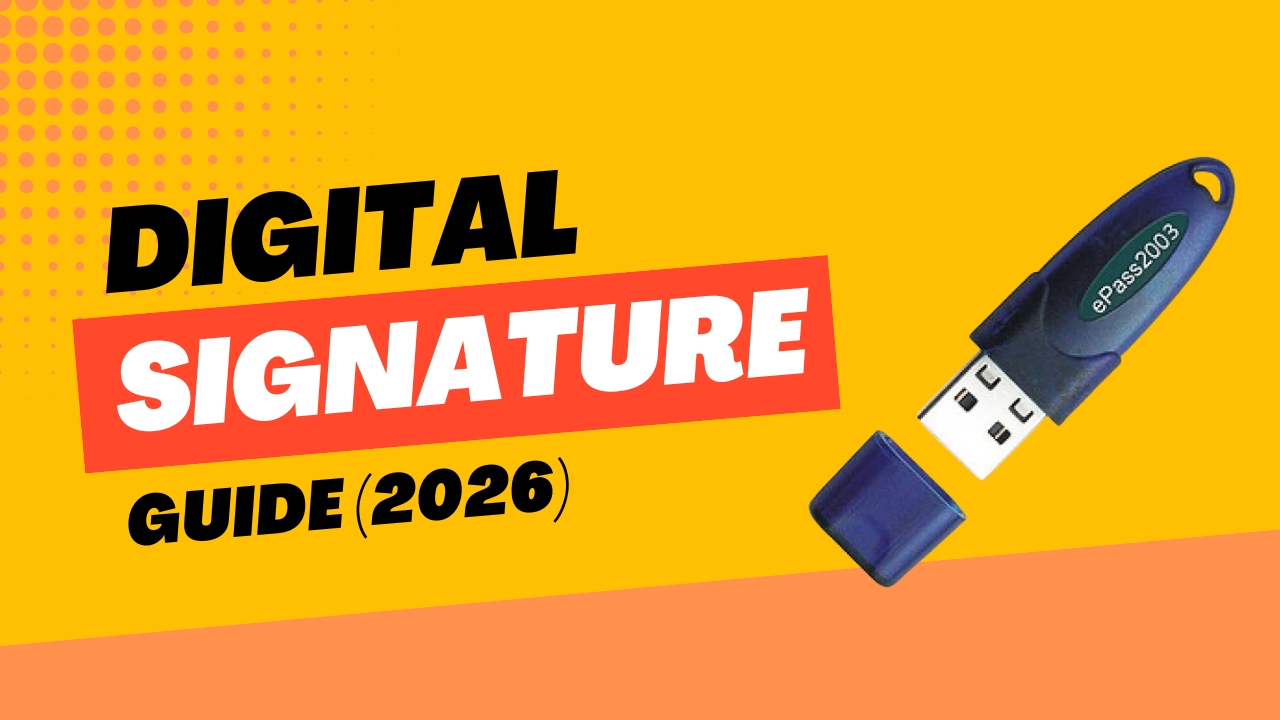
A Digital Signature Certificate (DSC) is an electronic credential issued by a government-licensed Certifying Authority (CA) that authenticates the identity of the person signing a digital document. In India, it is the legal equivalent of a handwritten signature for electronic filings. As of 2026, only Class 3 DSC is issued — Classes 1 and 2 have been phased out. A Class 3 DSC costs ₹999–₹3,499 and is mandatory for MCA filings, GST registration, income tax returns, patent and trademark filings, and e-tendering.
The Legal Foundation — What Makes a DSC Legally Valid
A DSC is not just a technical tool — it carries full legal standing under Indian law.
Section 3 of the Information Technology Act, 2000 recognises digital signatures as valid means of authenticating electronic records. A document signed with a valid DSC is legally equivalent to a physically signed document under Indian law.
Sections 85A, 85B, and 85C of the Indian Evidence Act, 1872 create a statutory presumption of authenticity for digitally signed electronic records. Courts presume that:
- A digitally signed electronic record has not been altered since it was signed
- The digital signature belongs to the subscriber to whom the Certificate was issued
- The document was signed at the time stated in the digital signature
The practical significance: in any dispute involving a DSC-signed document — a company incorporation filing, a patent application, an income tax return, a tender bid — the signed document is presumed authentic and unaltered. The burden of proving otherwise falls on the challenging party.
Section 2(1)(b) of the IT Act defines a “Certifying Authority” as a person authorised to issue a DSC. The Controller of Certifying Authorities (CCA) under the Ministry of Electronics and Information Technology (MeitY) licenses and regulates all Certifying Authorities in India.
What Changed in 2026 — The Three Major Updates
Before diving into how to get a DSC, these 2026 developments are essential context:
1. Class 3 Is Now the Only Class — Classes 1 and 2 Are Gone
From 1 January 2021, the Controller of Certifying Authorities (CCA) directed all licensed CAs to stop issuing Class 1 and Class 2 DSCs. All new DSC issuance since then has been Class 3 only.
As of April 2026, all Class 2 DSCs issued before 2021 have reached the end of their validity (maximum 2-year term) and expired. There are no longer any valid Class 2 DSCs in circulation.
What this means for you: If you are applying for a new DSC or renewing an old one, there is no decision to make between classes. Class 3 is the only option — and it is the highest-security class, so this is an upgrade for everyone who previously used Class 2.
2. Video KYC Has Replaced Physical Verification
Previously, DSC applicants were required to physically visit the CA’s office or an authorised representative for in-person identity verification. This has been replaced across all major CAs with Video KYC (V-KYC) — a video call with an authorised verification officer conducted online.
The applicant connects via webcam or phone camera, presents their original documents, and the CA officer verifies identity in real time. This can be completed from anywhere in India — or from abroad for NRI and foreign applicants — without visiting any office.
3. Cloud-Based DSC Is Now Available Alongside USB Tokens
Traditionally, all DSCs were stored on a USB token (a hardware device resembling a USB pen drive). In 2026, the MCA, GST portal, and DGFT now also support cloud-based DSC — where the private key is stored securely in the cloud rather than on a physical token.
Cloud DSC allows signing from any device with internet access — a laptop, tablet, or phone — without carrying a USB token. It is particularly valuable for professionals who work across multiple devices or locations.
Both USB token DSC and cloud DSC are legally valid. The choice depends on your use case and preference.
Who Needs a DSC in India?
A DSC is mandatory — not optional — for the following:
Company Directors and Authorised Signatories
Every director signing MCA forms on the MCA21 portal requires a valid Class 3 DSC registered with the portal. This includes:
- Form SPICe+ (company incorporation)
- Form AOC-4 (financial statements)
- Form MGT-7 (annual return)
- Form DIR-3 KYC (director KYC)
- Any other MCA e-form that requires director authentication
Chartered Accountants, Company Secretaries, and Cost Accountants
Practicing members of ICAI, ICSI, and ICWAI who certify MCA e-forms must have their DSC registered on the MCA portal under the “Practicing Professional” role.
GST Applicants and Return Filers
A DSC is required for:
- GST registration (for companies — sole proprietors and partnerships can use Aadhaar OTP)
- Filing GSTR-9 (annual return) for companies
- Authenticating certain GST audit documents
Income Tax Filers
Entities required to get their accounts audited under the Income Tax Act must file their income tax returns using a DSC:
- All companies
- All LLPs
- Individuals/firms whose accounts are subject to tax audit under Section 44AB
Patent and Trademark Filers
- Patent applications filed through the IP India e-filing portal require a valid DSC
- Trademark applications through ipindiaonline.gov.in require DSC authentication for professional agents filing on behalf of clients
E-Tendering and Government Procurement
Class 3 DSC is mandatory for:
- Participating in government e-tenders on GeM (Government e-Marketplace)
- eProcure portal tenders
- CPPP (Central Public Procurement Portal)
- Any state-level e-procurement portal
Others
- EPFO (Employee Provident Fund Organisation) filings
- SEBI filings for listed companies
- DGFT (Directorate General of Foreign Trade) — Import-Export Code and export-related filings
- Court e-filings in jurisdictions where e-filing is operational
Types of DSC — Signing, Encryption, and Sign + Encrypt
Within Class 3, there are three functional types of DSC based on what they can do:
Sign DSC (Signing Certificate)
Used exclusively for digitally signing documents — authenticating the identity of the signer and certifying the document’s integrity.
Used for: MCA filings, income tax returns, GST filings, patent and trademark applications, tender submissions, PDF document signing.
This is the most commonly required type and the most affordable. For the vast majority of compliance filings, a Sign DSC is all you need.
Encrypt DSC (Encryption Certificate)
Used for encrypting sensitive data or documents — ensuring that only the intended recipient can decrypt and read the content. Does not have signing functionality.
Used for: Encrypting confidential documents before uploading to government portals that require encrypted submissions; secure document exchange.
Sign + Encrypt DSC (Combined Certificate)
Provides both signing and encryption functionality in a single certificate.
Used for: DGFT filings (which specifically require the Sign + Encrypt combination); certain export-import documentation; any use case requiring both document authentication and confidential encryption.
Decision guide:
| Need | DSC Type Required |
|---|---|
| MCA filings (AOC-4, MGT-7, incorporation) | Sign |
| Income tax return filing | Sign |
| GST registration and filings | Sign |
| Patent and trademark filing | Sign |
| Government e-tendering (GeM, eProcure) | Sign |
| DGFT / Import-Export filings | Sign + Encrypt |
| Encrypting confidential documents only | Encrypt |
| All of the above combined | Sign + Encrypt |
USB Token DSC vs Cloud DSC — 2026 Comparison
This is the most significant choice that did not exist in previous years.
| Factor | USB Token DSC | Cloud DSC |
|---|---|---|
| Storage | Hardware USB device (physical token) | Secure cloud server |
| Device required | USB port on a computer | Any internet-connected device |
| Portability | Must carry the token | Sign from anywhere |
| Security | Physical device — lost token = problem | Server-side security + multi-factor authentication |
| MCA compatibility | Fully compatible, requires emSigner | Supported on MCA V3 portal |
| GST portal | Fully compatible | Compatible |
| E-tendering | Fully compatible | Compatible on most portals |
| Risk of loss | Token can be lost, damaged, or PIN locked | No physical loss risk |
| Cost | ₹999–₹3,499 (includes USB token price) | Slightly lower on some CAs (no hardware cost) |
| Best for | Fixed desk users, consistent device users | Mobile professionals, remote workers, multiple-device users |
For most first-time applicants — directors, founders, and professionals filing from a fixed office setup — a USB token DSC remains the practical and widely accepted standard. Cloud DSC is gaining adoption but check portal compatibility for your specific use case before choosing.
Authorised Certifying Authorities in India (2026)
The Controller of Certifying Authorities (CCA) has licensed 15 Certifying Authorities to issue DSCs in India. The most widely used are:
| Certifying Authority | Common Name | Website |
|---|---|---|
| eMudhra Limited | eMudhra | emudhra.com |
| Sify Technologies Limited | Sify | sify.com |
| National Informatics Centre | NIC | nic.in |
| NSDL e-Governance Infrastructure | NSDL | nsdl.co.in |
| Capricorn Identity Services | Capricorn CA | certificate.digital |
| C-DAC (Centre for Development of Advanced Computing) | C-DAC | cdac.in |
| (n)Code Solutions (GNFC) | nCode | ncodesolutions.com |
All CAs issue Class 3 DSCs — the difference lies in pricing, turnaround time, video KYC process, customer support, and USB token quality. Government filings on MCA, GST, and income tax portals accept DSCs from any licensed CA.
Important: Only purchase DSCs from the above licensed Certifying Authorities or their authorised resellers. DSCs obtained from unlicensed sources have no legal validity.
Documents Required for DSC Application
The documents required for a Class 3 DSC depend on the applicant type:
For Individuals (including Company Directors)
| Document | Purpose |
|---|---|
| PAN card | Primary identity proof |
| Aadhaar card | Address proof (also used for Aadhaar OTP-based KYC) |
| Passport-size photograph | Identity photo |
| Mobile number linked to Aadhaar | For OTP verification |
| Email address | For communication and verification link |
Aadhaar eKYC option: Most major CAs now offer Aadhaar eKYC-based verification — where the Aadhaar OTP serves as the identity verification mechanism, eliminating the need to submit physical document copies. This is faster and can be completed entirely online.
For Companies and Organisations
| Document | Purpose |
|---|---|
| Certificate of Incorporation | Entity existence proof |
| PAN of the company | Entity tax identity |
| Board resolution / authorisation letter | Authorising the DSC applicant |
| Identity proof of the authorised signatory | Director/officer individual KYC |
| Address proof of the company | Registered office proof |
For Foreign Nationals / NRI Directors
| Document | Purpose |
|---|---|
| Passport | Primary identity proof |
| Address proof in country of residence | Address verification |
| Apostilled documents (where required) | Authentication of foreign documents |
How to Apply for a DSC in India — Step by Step
Step 1 — Choose Your Certifying Authority
Select a licensed CA from the list above. Consider: pricing, turnaround time, type of DSC required, and whether you want USB token or cloud DSC.
Step 2 — Fill the DSC Application Form
Visit the CA’s website and fill the online DSC application form. Select:
- Type: Individual, Organisation, DGFT, Government, or Foreign Organisation
- DSC purpose: Sign / Encrypt / Sign + Encrypt
- Validity: 1 year, 2 years, or 3 years
- Medium: USB token or cloud DSC
Step 3 — Complete Video KYC
After submitting the application, the CA sends a video verification link to your registered email and mobile number. Connect at the scheduled time via webcam or phone camera. Present your original documents (PAN, Aadhaar) to the verification officer. The video call typically takes 5–10 minutes.
Alternative — Aadhaar eKYC: If the CA supports it, complete verification using your Aadhaar OTP — no video call required. This is the fastest route.
Step 4 — Pay the Fee
Pay the DSC fee online. Indicative costs in 2026:
| DSC Type | 1 Year | 2 Years | 3 Years |
|---|---|---|---|
| Sign (USB token) | ₹999–₹1,500 | ₹1,200–₹2,000 | ₹1,500–₹2,500 |
| Sign + Encrypt (USB token) | ₹1,500–₹2,500 | ₹2,000–₹3,000 | ₹2,500–₹3,499 |
| Cloud DSC (Sign) | ₹800–₹1,200 | ₹1,000–₹1,800 | ₹1,200–₹2,200 |
Prices are indicative — not fixed by government. Each CA sets its own rates. GST is additional.
Step 5 — Receive and Set Up the DSC
USB token DSC: The USB token is couriered to your registered address (typically 3–5 business days after verification). Follow the CA’s instructions to download the certificate onto the token. Set a strong PIN for the token.
Cloud DSC: Credentials are provided electronically after verification — no physical delivery. Configure the DSC on your device following the CA’s instructions.
Step 6 — Register DSC on MCA21 Portal
If you need the DSC for MCA filings, register it on the MCA21 portal:
- Log in to mca.gov.in
- Go to MCA Services → DSC Services → Associate DSC
- Select your role: Director, Practicing Professional, or Business User
- Enter your DIN (for directors) or PAN (for others)
- Download and install emSigner (the MCA’s DSC signing utility)
- Plug in your USB token; click Select Certificate; enter your token PIN
- The system verifies and associates the DSC with your MCA account
Once associated, your DSC is ready for signing all MCA e-forms.
DSC Validity and Renewal — What to Know
Class 3 DSCs are issued for validity periods of 1 year, 2 years, or 3 years from the date of issue.
Key points on validity:
- A DSC cannot be used after its expiry date — any filing signed with an expired DSC will be rejected by government portals
- Renew your DSC at least 30 days before expiry to avoid a gap in filing capability, especially during the October–November ROC filing season
- Renewal is generally faster and cheaper than a fresh application — the CA already has your verified details on record
- Your MCA DSC association expires when the DSC expires — renew and re-associate on the MCA portal after renewal
What happens if your DSC expires mid-filing season? You cannot sign or submit any MCA, GST, or income tax forms until the DSC is renewed and re-registered. During the October–November ROC filing peak, an expired DSC can cause you to miss the AOC-4 and MGT-7 deadlines, triggering ₹100-per-day-per-form additional fees. Set a renewal reminder 45 days before expiry — not on the expiry date.
Common DSC Problems and How to Solve Them
USB token PIN locked: Most tokens lock after 5–10 incorrect PIN attempts. A locked token must be reset using the CA’s token utility software — which erases the stored certificate. You will need to re-download the certificate from the CA (if within validity period) or apply for a fresh DSC (if expired).
DSC not recognised on MCA portal: Ensure emSigner is installed and running. Check that the DSC’s details (name, PAN) exactly match the MCA portal records. Slight name mismatches (e.g., “Pvt. Ltd.” vs “Private Limited”) cause rejection.
Video KYC link expired: Video verification links typically expire within 24–48 hours. If you miss the window, contact the CA for a new link.
DSC showing as invalid on portal: Check the validity date. Check that the USB token is properly inserted and the PIN has been entered correctly. Check that you are using a supported browser (Chrome, Edge, or Firefox for most portals).
DSC associated to wrong DIN or PAN: Raise a ticket with the MCA helpdesk to correct the association. Do not attempt to associate a DSC belonging to person A against person B’s DIN — this is illegal under the IT Act and MCA guidelines.
Frequently Asked Questions
Q: What is a Digital Signature Certificate (DSC) in India?
A: A DSC is an electronic credential issued by a licensed Certifying Authority (CA) that authenticates the identity of the person signing a digital document. It gives digital signatures the same legal standing as physical signatures under the Information Technology Act, 2000. In 2026, only Class 3 DSC is issued — it is mandatory for MCA filings, GST registration, income tax returns for companies, patent and trademark filings, and government e-tendering.
Q: Which class of DSC is used in India in 2026?
A: Only Class 3. The Controller of Certifying Authorities (CCA) discontinued Class 1 and Class 2 DSC issuance from 1 January 2021. All Class 2 DSCs have since expired (maximum 2-year validity). Class 3 DSC provides the highest level of security and is the only class accepted on MCA, GST, income tax, and e-procurement portals.
Q: How much does a DSC cost in India?
A: Indicative costs in 2026: Sign DSC (USB token) — ₹999–₹2,500 for 1–3 year validity. Sign + Encrypt DSC — ₹1,500–₹3,499 for 1–3 year validity. Cloud DSC is slightly cheaper (no hardware cost). Prices are set by each Certifying Authority and are not government-regulated. GST is additional.
Q: What is the difference between USB token DSC and cloud DSC?
A: A USB token DSC stores the private key on a physical hardware device — you plug it into a computer to sign. Cloud DSC stores the private key securely on a server — you can sign from any internet-connected device without carrying hardware. Both are legally valid in India. USB tokens are the traditional standard; cloud DSC is gaining adoption for mobile professionals.
Q: How long does it take to get a DSC in India?
A: With video KYC, most CAs issue a USB token DSC within 3–5 business days from the date of verification (including courier delivery of the USB token). Cloud DSC can be issued electronically within 1–2 business days after video KYC. With Aadhaar eKYC, same-day or next-day issuance is possible on some CAs.
Q: Do I need a separate DSC for each company I am a director of?
A: One DSC per individual is typically sufficient — the same DSC can be associated with multiple DINs and roles on the MCA portal. However, some specific filing scenarios or portal requirements may require separate certificates. Your CA or a Company Secretary can advise on your specific situation.
Q: What happens if my DSC expires during filing season?
A: You cannot sign or submit any MCA, GST, or income tax forms until the DSC is renewed and re-registered on the portal. An expired DSC during the October–November ROC season can cause you to miss AOC-4 and MGT-7 deadlines, triggering ₹100-per-day-per-form additional fees. Renew at least 30 days before expiry and set calendar reminders.
Q: Is it legal to use someone else’s DSC in India?
A: No. The MCA explicitly states that using another person’s DSC is illegal. The Information Technology Act, 2000 and MCA guidelines make clear that only the individual to whom the DSC is issued may use it. Using someone else’s DSC constitutes fraud and can result in criminal liability.
Get Your DSC Before the Filing Deadline — Not After
Every ROC filing, GST return, income tax submission, and patent or trademark application in India starts with a valid DSC. Without one, these filings cannot be submitted — and filing deadlines do not pause while you wait for a token to arrive.
Apply for your DSC at least 2 weeks before you need it — not the week of the deadline. Factor in the video KYC window, certificate issuance, courier delivery, portal registration, and emSigner setup. Each step takes time.
At TMZON, we help directors, founders, and professionals navigate the full compliance journey — including DSC advisory alongside trademark registration, ROC filing guidance, and IP protection.
Book a Compliance Consultation → TMZON
Register and manage your DSC on the official MCA portal:
This article is written for general informational purposes and does not constitute legal or financial advice. For advice specific to your DSC requirements, please consult a qualified Company Secretary or Chartered Accountant.
Written by Arya Sharma, Advocate, Bombay High Court | Trademark Attorney
© 2026 TMZON Corporate Services. All rights reserved.
